

The spreadsheet is usually a symptom
If your team uses the same spreadsheet every week, you probably do not have a spreadsheet problem.
You have a business process waiting to become software.
Spreadsheets are useful. They are flexible, familiar, and fast to start with. Almost every company uses them because they make it easy to organize information, calculate numbers, compare options, and share data with a team.
But there is a point where a spreadsheet stops being a tool for thinking and starts becoming the place where the business actually runs.
That is when the problems begin.
A spreadsheet is often the first version of a process.
Someone creates a template to track leads, calculate pricing, assign tasks, prepare reports, manage inventory, review applications, plan deliveries, or monitor customer requests.
At first, that is fine. It is quick. No one needs to wait for software. The team can experiment and adapt.
But over time, the spreadsheet becomes part of the company’s daily or weekly routine.
People copy data into it. Someone checks formulas. Someone updates statuses. Someone sends reminders. Someone exports the result. Someone creates a report. Someone asks, “Is this the latest version?”
At that point, the spreadsheet is no longer just a spreadsheet. It is an informal application.
The problem is that it does not behave like one.
When spreadsheets become operations
There are clear signs that a spreadsheet-based workflow is ready for automation.
- You use the same structure repeatedly.
- You copy and paste data from emails, forms, CRMs, ERPs, PDFs, or other spreadsheets.
- Only one or two people understand how the formulas work.
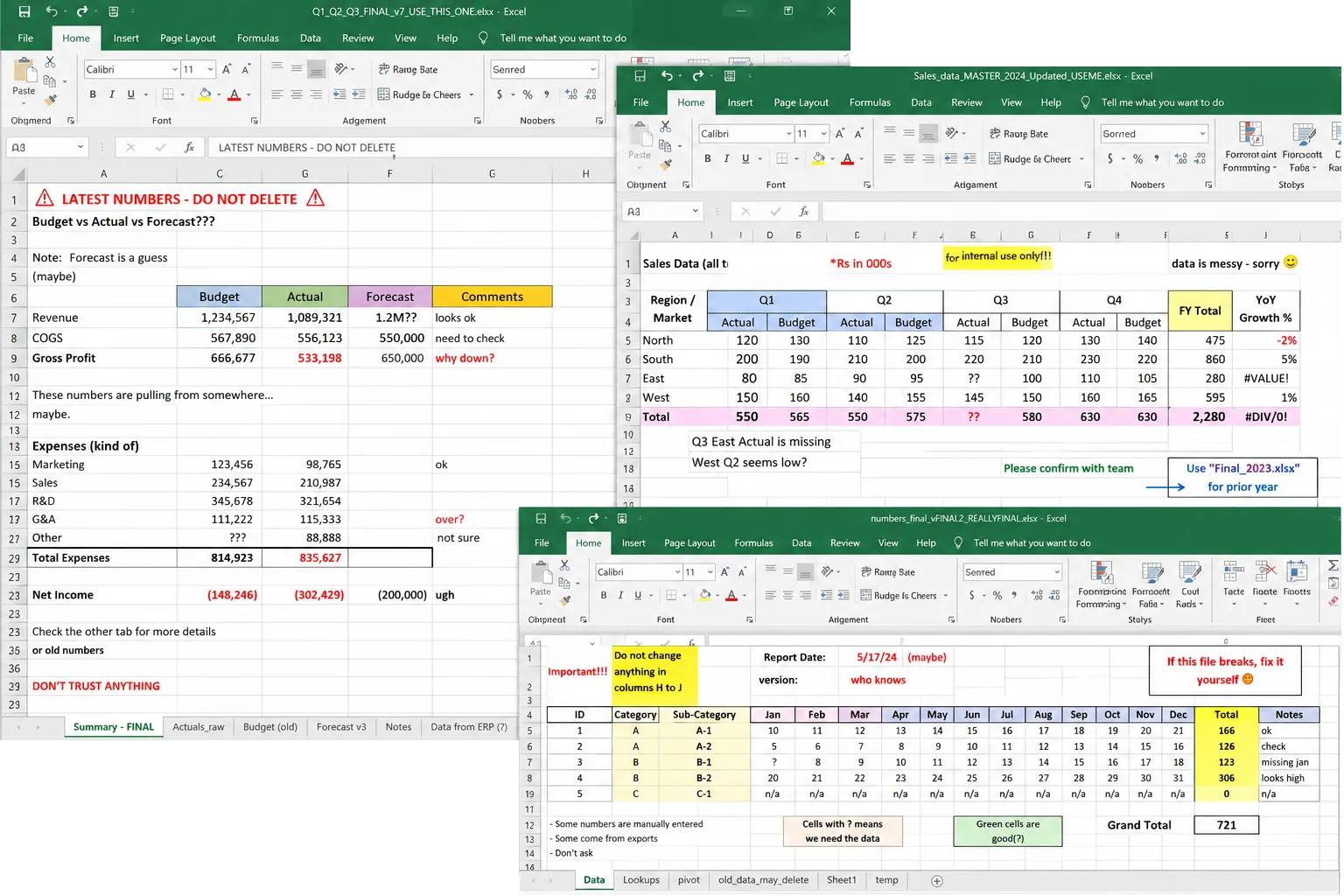
- The file has multiple versions with names like “final,” “final_v2,” or “real_final.”
- Approvals happen through comments, colors, or status columns.
- Reports are generated manually from the same data every week or month.
- People are afraid to change the file because something might break.
These are not just spreadsheet issues. They are process issues.
The spreadsheet is showing you that the company has a repeatable workflow, but that workflow has not yet been turned into proper software.
Why this used to be hard
In the past, replacing spreadsheets with custom tools was expensive.
You needed to define requirements, hire developers, design screens, build integrations, test everything, deploy it, and maintain it. For many teams, that cost was too high.
So the spreadsheet stayed.
Even when everyone knew it was fragile, manual, and inefficient, it was still cheaper than building software.
That tradeoff has changed.
AI is making it faster and more affordable to create custom tools for specific business processes. Not every workflow needs a massive software project. Many spreadsheet-based processes can become lightweight internal tools: forms, dashboards, automations, approval flows, reporting systems, or AI assistants connected to your existing data.
The opportunity is not to replace every spreadsheet.
The opportunity is to identify the spreadsheets that are quietly running your business and turn the repetitive parts into software.
Spreadsheets are great for exploration, not repetition
A useful way to think about it is this:
Spreadsheets are great when the process is still changing.
They are ideal for experimenting, modeling, analyzing, and working through new ideas. If you are still discovering what matters, a spreadsheet gives you freedom.
But once the structure becomes stable, the value shifts.
If the columns are always the same, the inputs are predictable, the decisions follow a pattern, and the output is repeated, then the process is mature enough to automate.
That does not mean removing human judgment. It means removing the manual work around it.
Instead of asking someone to copy data between systems, the software can collect it automatically.
Instead of relying on fragile formulas, the logic can be built into the workflow.
Instead of tracking approvals in colored cells, the tool can route decisions to the right people.
Instead of manually preparing the same report, the dashboard can update itself.
The team still controls the process. They just stop wasting time operating the spreadsheet.
What this looks like in practice
Imagine a team that uses a spreadsheet every week to qualify new customer requests.
The spreadsheet includes customer details, request type, urgency, estimated value, assigned owner, next action, and status. The team manually copies information from emails and forms, reviews each row, updates statuses, and sends follow-up messages.
That spreadsheet could become a simple internal tool.
New requests enter automatically. The system classifies and prioritizes them. The right person gets assigned. Follow-ups are drafted or sent. Managers see a live dashboard. The team can still edit, review, and override decisions when needed.
The process is the same. The work is just less manual, less fragile, and easier to scale.
This same pattern applies across many areas: sales operations, finance, procurement, HR, customer support, logistics, reporting, compliance, and project management.
If the spreadsheet has become a routine, there is probably an automation opportunity inside it.
Where Guanta helps
At Guanta, we help companies turn repeated spreadsheet-based work into practical AI-powered software.
That starts by understanding the process behind the spreadsheet:
- What information comes in?
- Who touches it?
- What decisions are made?
- What rules are repeated?
- What systems need to connect?
- What output does the business need?
From there, we can help design and build the right tool: a workflow, dashboard, internal app, AI assistant, integration, or automation layer that fits the way the team already works.
The goal is not software for the sake of software.
The goal is to remove repetitive work, reduce errors, make processes easier to manage, and give teams better visibility into the business.
The simple test
Look at the spreadsheets your team uses every week.
Ask:
- Is this file used repeatedly?
- Does it follow the same structure?
- Does someone manually move data in or out of it?
- Does it involve approvals, decisions, or status tracking?
- Would the business slow down if this file broke?
If the answer is yes, that spreadsheet may be more than a file.
It may be your next automation project.
Spreadsheets are often where business processes begin. But they do not have to be where those processes stay.
With AI, many of these workflows can now become software faster than ever before.
So if you are still running your business on spreadsheets, the question is no longer whether the process can be automated.
The question is which spreadsheet you should start with.